What the AI in Henosis REP does, feature by feature.
In most CRMs, AI means a chat window added to the side. In Henosis REP the assistant reads and acts on your live records, drafts in the context of the real relationship, and stages anything consequential for your approval. This page lists what that means, one shipped feature at a time.
14-day free trial of the full Professional tier
An AI-native CRM is one where the AI can read and act on the live records, with your approval. In Henosis REP the assistant queries your pipeline, turns raw notes into log entries you approve, briefs you before calls, enriches records from the web, drafts follow-ups from the real email thread, and composes campaigns and proposals. Batch changes are staged as plans you confirm, and every outbound draft waits for a person to send it.
The difference between AI added on and AI built in.
Most CRMs added AI to a product designed before it. The difference shows in what the AI can see and do.
AI added on
- A chat panel added to a legacy system of record
- It answers questions about the CRM but cannot act inside it
- Generic drafting with no view of the actual relationship
- Sold as an add-on on top of the per-seat price
AI built in (Henosis REP)
- The assistant queries your live pipeline, accounts and analytics
- It creates and updates records on request and stages batch changes for review
- It drafts from the real record: the thread, the history, the deal
- It is included in the plan tiers, in every module
What the AI does across the platform.
Included from the Standard tier up: an assistant plus AI inside the everyday record work.
AI Assistant
Ask in plain English. It queries your live deals, accounts, contacts, projects, proposals and analytics, creates or updates records when you ask, and stages anything that touches several records as a plan you review and confirm.
Log this
Paste raw call notes on any record. The AI proposes the log entry and the field updates, and only the items you approve get written.
Brief me
One click on a contact or account builds a prep brief from the record and its recent interactions, so you walk into the call current.
Web enrichment
Point it at a contact, an account or a whole domain. It researches the web and proposes fields and people. You review everything before it lands in the CRM.
Draft follow-up
It reads the email thread on the record and drafts the reply in context. You edit and send. It never sends for you.
Re-engagement queue
It watches for relationships going quiet and drafts re-engagement emails into a review queue. Nothing leaves until a person hits send.
Smart import
CSV import with AI column mapping and a field-by-field review before anything is inserted. You can override any mapping.
Project planner
Describe the engagement and the AI drafts a project plan into the form for you to adjust before the project is created.
More AI where the revenue work happens.
The Professional tier adds the AI that fills the top of the funnel and carries a deal to signature.
Lead discovery
Describe your target market and it researches the web for matching companies, then finds the right contacts at each one. Nothing imports until you review and select.
AI campaign compose
It composes newsletters and sequences anchored to your saved brand profile, refines individual blocks, and suggests subject lines. Sending stays a separate, manual step.
Proposal personalization
It drafts proposal sections from the specific contact, company and deal on the record, inside the proposal editor, ready for you to place and edit.
Fund-manager AI on the same platform.
The GP edition applies the same grounded, reviewed AI to the fund workflow.
IC one-pager
It generates an investment-committee memo from the deal record, its diligence items and prior IC decisions, and respects the ethical walls on restricted deals.
LP update drafts
It drafts an LP update from fund performance snapshots, closes and commitments. Every figure carries its as-of date, and the draft is yours to edit and send.
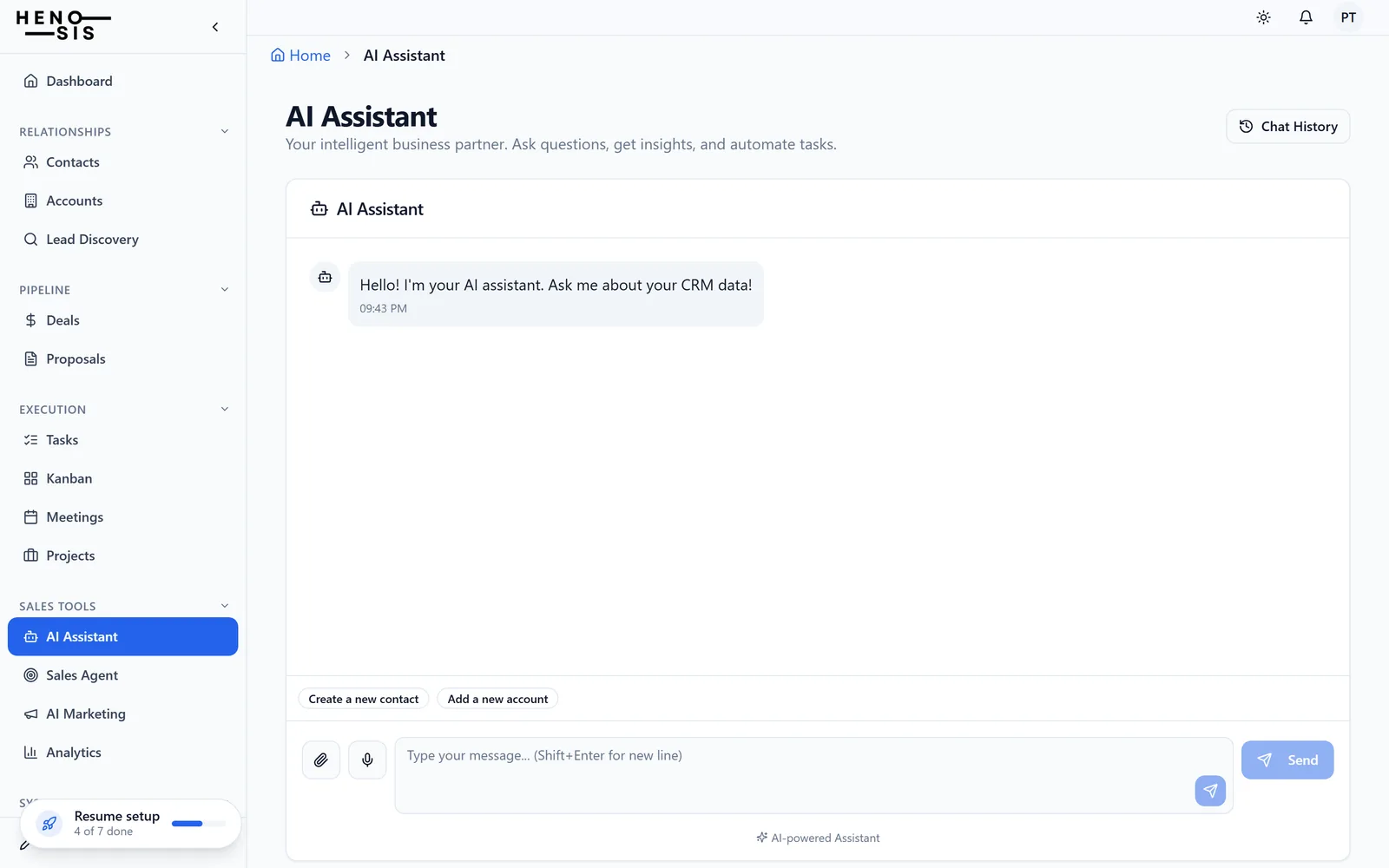
The assistant in the product.
The Henosis REP assistant answering a question about a live pipeline.
When the AI writes and when it waits.
AI in a CRM is only useful if you know exactly when it writes and when it waits. These are the rules Henosis REP runs on.
Outbound is always yours
Every email, campaign, proposal and LP update the AI drafts stays a draft until a person sends it. No AI feature in Henosis REP sends anything on its own.
Batch changes are staged
Any request that touches more than one record becomes an action plan. You see every proposed change, edit or drop items, and confirm before a single write happens.
Single actions run on the spot
Ask it to create a contact or log a call and it does so right away, with the result on the record where you can see it.
Under the hood: models from Anthropic (Claude), OpenAI (GPT) and Perplexity (Sonar), routed per task, with cross-provider failover so one vendor’s outage does not take your assistant down.
One assistant, three audiences.
The same assistant and the same grounded AI, in the edition built for your work.
Questions about the AI
What is an AI-native CRM?
What does the AI in Henosis REP do today?
Which AI models power Henosis REP?
Does the AI change my CRM data on its own?
Is the AI included in the price?
Put the assistant to work on your book.
Start a free trial and ask it something about your own pipeline, or book a walkthrough and watch it work.